Keep yourguestsinformed.No app installs needed.

Schedule, sessions, menus and seating — everything delegates need in one branded event link.

Try the demo
Real events

Reviews From Real Hosts

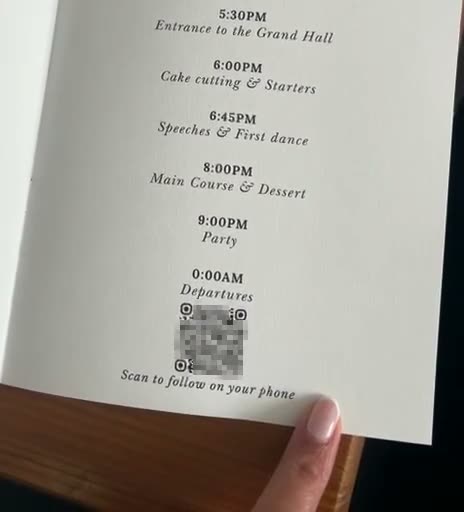
A printed wedding order of the day, with the event’s QR code and “Scan to follow on your phone” at the bottom
Wedding
A wedding coupleShared anonymously

We used Share with guest for our wedding and we were so impressed with the functionality and how easy it was to use. Leading up to the wedding, it was really easy to set up. On the day, it ensured all the wedding information and schedule was available for our guests and we liked how it was all synced to the actual time of day, so they knew where they needed to be. For future events, we would not hesitate to use share with guests again.

Gold “30” balloons at the party, a phone over a “Share it!” card on a table, then a guest playing the birthday quiz on their phone at the bar
Birthday
Phyll30th birthday party

My cousin used ShareWithGuests for my 30th birthday and I absolutely loved it! Everyone could scan the QR code to see the drinks menu, share photos and join in with a quiz all about me 😂 I also shared my birthday Spotify playlist with my friends so they could relive the day through the music. It was such a lovely personal touch, and one of my friends even messaged afterwards saying they wanted it for their own 30th next year!

The event’s QR code on a large screen at the founders’ wedding
Where it started
The founders of ShareWithGuestsOur own wedding

We didn’t want our guests spending our wedding asking what was happening next. So we built the first version of ShareWithGuests for the day: the schedule, the menu (which turned out to be a big hit), the drinks, and a place to share photos and videos, all one scan away. QR codes sat on the tables, at the entrance and on a big screen. It turned out exactly how we imagined, and our guests genuinely loved it.

Review 1 of 3

Everything your event needs

Built for Your Corporate Event

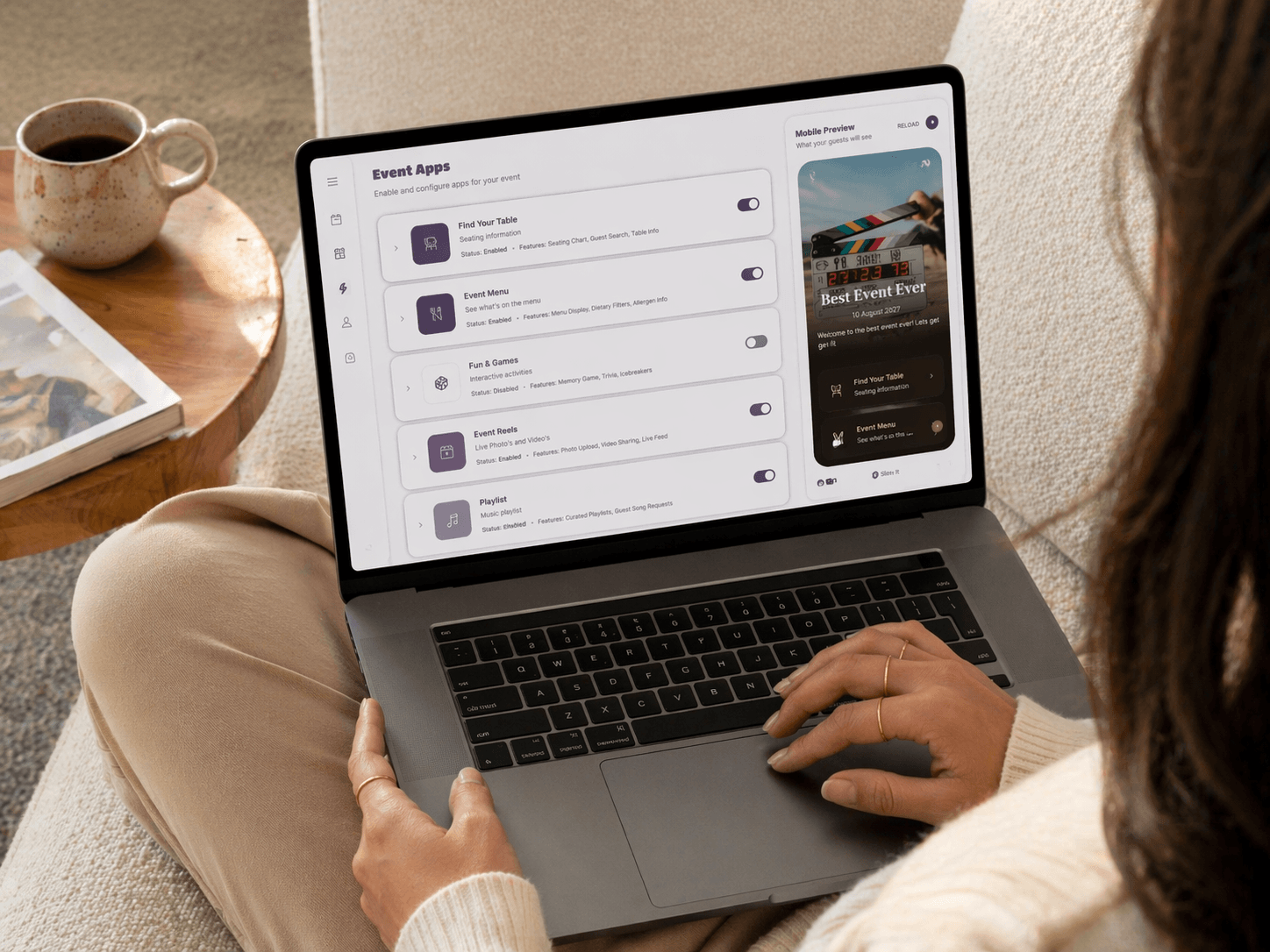
Every feature your delegates need, all from one professional dashboard.

Everything onsite, organised
01Event home

Everything onsite, organised

The home page for your corporate event, where guests have everything they need to make the most of the event.

A timeline that keeps pace
02Event schedule

A timeline that keeps pace

Share a detailed timeline so guests know exactly what's happening and when. Multi-day support included.

Every dish, every detail
03Menus & details

Every dish, every detail

Display food menus with dietary info, drink lists and other essential details for your guests.

Simple as 1, 2, 3

Set Up Your Corporate Event Link in Minutes

Get your event page live before the day. No technical skills required.

Step one

Create Your Event

Sign up for free and set up your event in minutes.

Step two

Add Your Content

Upload photos, menus, schedules, and more. Everything your guests need, all in one place.

Step three

Share One Link

Publish and share a single beautiful link or QR code. Guests open it in their browser, no app download required.

Simple Pricing

Start Free, Publish When Ready

Sign up and explore the dashboard at no cost. When you're ready to share with your guests, choose a plan that fits your event.

Sign up free. Explore the full dashboard before you commit

Plus

Perfect for weddings & celebrations

£49/event
  • 1 event
  • Event active for 30 days
  • Media storage for 6 months
  • Unlimited photo & video uploads
  • Full access to all event apps
  • Full branding & customisation
  • Download all media
Our recommendation

Pro

Everything in Plus with analytics, AI & longer access

£99/event
  • 1 event
  • Event active for 90 days
  • Media storage for 12 months
  • Unlimited photo & video uploads
  • Full access to all event apps
  • Full branding & customisation
  • Download all media
  • Analytics dashboard
  • AI-powered imports
  • AI menu generation
Got Questions?

Frequently Asked

Yes — the platform is built for corporate use as well as social events. You can share a detailed multi-day agenda, catering menus, seating information and branded company links, all from one professional event link delegates can access in their browser.

Absolutely. You can upload your company logo, set brand-matching colours and fonts, and create a polished event page that reflects your organisation's identity.

ShareWithGuests is a platform that lets you create a single, beautiful link for your event. You can share everything your guests need including photos, schedules, menus, RSVPs, and more all in one place.

No! You can sign up completely free and explore the full dashboard. Add content, preview your event page, and get everything set up. You only pay when you're ready to publish and share with your guests.

No problem, we offer a full refund as long as you haven't published your event. You can pay, set everything up, preview your page, and if it's not right for you, simply request a refund. Once your event is published and shared with guests, the refund window closes.

ShareWithGuests works for any event like weddings, birthday parties, corporate events, baby showers, graduations, and more. If you have guests, we've got you covered.

Not at all. Your event page is a web link that works on any device with a browser. Guests simply tap the link or scan a QR code. No downloads, no sign-ups.

Absolutely. Choose from themes, customise colours and fonts, upload your own branding, and make your event page truly reflect your style and personality.

Once published, you get a unique URL and QR code. Share it via text, email, social media, or print it on physical invitations, however you reach your guests.

Ready to Create Your Corporate Event Link?